CRM Contact Management for Small Teams, Done Properly
Contact management is the feature every small team uses every day and the one they give five minutes of thought to. That is backwards, because almost every complaint about a CRM six months in — duplicates, missing history, nobody knows who owns this, the export was useless — is a contact-management decision that was made badly on day one and then multiplied by a thousand records.
This is the structure that holds up when a second and third person start using the same records.
Contacts and companies are two different things
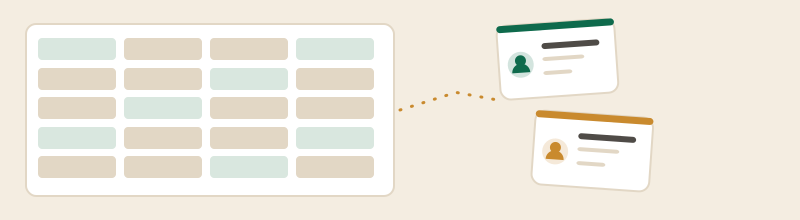
Every CRM in this category stores people and organisations separately and links them. Spreadsheets conflate the two, which is why imported lists so often arrive as a mess: one row per person, with the company name spelled four ways, no way to see everybody at the same client, and nowhere to put facts that belong to the organisation rather than the individual.
Decide the rule before you import. The working version for most small businesses: a company record holds anything that stays true when a person leaves — the address, the account terms, the site you work on. A contact record holds the person, their role and how to reach them. If you find yourself copying the same fact onto five contact records, it belongs on the company.
Every record needs an owner, including the quiet ones
The single most useful field in a small-team CRM is the one that says whose customer this is. Not for commission — for answering "who rings them back". A record with no owner is a record nobody rings back.
Two rules make ownership work in a team of three to ten. First, ownership is a person, never a role or a shared inbox; "sales@" cannot remember anything. Second, ownership is reassigned deliberately when somebody goes on holiday or leaves, as a task, not left to rot. The CRMs that make this easy are the ones with team and access controls, and it is worth knowing where those sit on the price list: Capsule places team and access controls on its Growth plan at $36 per user per month on the annual term, rather than on Starter at $18.
The fields that earn their place
Resist the urge to build a field for everything. A small team maintains about six custom fields and abandons the rest, and abandoned fields are worse than absent ones because they make a record look complete when it is not.
- Source — how this person first arrived. It is the only field that will ever let you answer "where does our work come from".
- Status or lifecycle — a short list, five values at most, agreed out loud.
- Next action and date — the reminder layer, which is the reason to have a CRM at all.
- Owner — as above.
- One or two fields specific to your trade — the thing you always want to know: the vehicle, the property, the renewal month, the system they run.
Free tiers cap this directly, so it is worth checking before you design. Capsule's free plan states 5 custom fields; Bigin's Express plan states 10 custom fields per module, Premier 25 and Bigin 360 50.
One more field deserves a mention and usually gets skipped: a plain text note about how the relationship started. Not a dropdown, not a score — a sentence. Six months later, "met at the trade show, knows Priya from the old job" is worth more to whoever inherits the record than any structured field you could have designed, and it is the one thing a spreadsheet import never carries across.
Duplicates, and the only reliable way to avoid them
Duplicates come from three places: importing the same list twice, two people creating a record for the same person, and the same person arriving under a work and a personal email. Deduplication tools help with the first and are useless against the third.
The cure is a rule everybody follows: search before you create, always, using the email domain rather than the name. It takes four seconds, and no feature replaces it. Some CRMs put cleanup tools behind a tier — Bigin's Premier plan names a duplicate-cleanup feature, for instance — but a habit is cheaper than an upgrade.
Which free tiers can hold a small team's contacts
The caps published on the free plans decide this more than any feature. Read on 24 September 2026: Zoho CRM's free edition states 3 users and publishes no record cap on its pricing page; HubSpot describes its free tools as free for up to 2 users; Capsule's free plan states a maximum of 2 users and 250 contacts; Bigin's states a single user and 500 records, which counts companies and deals as well as people; EngageBay's states 250 contacts.
For a team of three sharing one contact database, that list has exactly one free answer. For a team of two with a list under 250, it has four. The free CRM comparison sets all five side by side, and the best CRM for small business ranking prices the step out of each one.
What good looks like after a month
You can tell whether contact management is working without opening a report. Three tests: pick a customer at random and see whether the last thing that happened to them is written down; ask whoever is covering for you to find out what you owe a client without ringing you; and search a company name and see whether one record comes back or three.
If all three pass, the CRM is doing its job, and you can ignore most of what the vendor wants to sell you next. If they fail, adding automation on top will only make the mess arrive faster. The first thirty days plan is built around getting those three tests to pass before anything else is switched on.
Contact management questions
What is contact management in a CRM?
How should a small team structure contacts and companies?
How many custom fields does a small business need?
How do you stop duplicate contacts in a CRM?
Comparing tools rather than reading about one? The best CRM for small business, ranked puts the seat prices in a single table, and the free CRM page does the same for the free tiers and their caps.