CRM vs ERP for a Small Business: Which One You Need First, and What Each Costs
A CRM manages the people who might buy from you and the deals in progress; an ERP manages what happens after the sale — orders, stock, purchasing and the books. For a business of one to ten people, the usual and cheaper order is a CRM plus ordinary accounting software first, and an ERP only when stock, suppliers or several companies make the accounts too complicated for that pair. Most small businesses never reach that point, and the ones that do can usually tell from a short list of symptoms.
This page explains the split, prices the common small-business setups for a five-person team, and shows the signs that an ERP has become worth its cost. Each figure here was copied from the relevant vendor's pricing page on 18 October 2026, the day this was written.
CRM or ERP: the short answer
If your daily problem is remembering who you spoke to, what you promised and which quotes are still open, you need a CRM. If your daily problem is knowing what is in the warehouse, what you owe suppliers and whether this month's numbers are right, you need better accounting, and eventually perhaps an ERP.
The two overlap in the middle — quotes, orders and invoices — which is why vendors on both sides blur the words. A CRM vendor will show you an "invoicing" feature; an ERP vendor will show you a CRM module. Neither makes the other unnecessary. What matters is which side of the business is causing you more trouble today.
What each system actually runs
Trace a single customer from the first enquiry to a paid invoice and the boundary shows itself.
- The front office, a CRM's job: a lead arrives, you record the contact and company, log calls and emails, move a deal through stages, send a quote and mark it won.
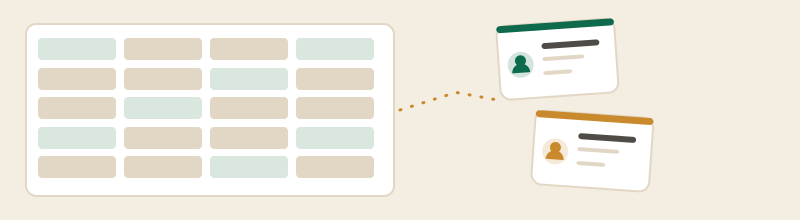
- The hand-off: the won deal becomes an order or an invoice. This is where the two systems meet, and where a small business usually connects its CRM to accounting software.
- The back office, an ERP's job: the order reduces stock, triggers a purchase from a supplier if needed, produces the invoice, records the payment and posts everything to the general ledger.
A small service business — a consultancy, an agency, a trades firm — has a front office and a very thin back office. It sells time, not stock, so accounting software already covers almost everything an ERP would do for it. A business that buys, stores and ships goods has a much heavier back office, and that is where ERP earns its keep.
The usual small-business path: accounting plus CRM
For most small firms, the first back-office system is accounting software, not ERP. It issues invoices, tracks what you are owed and owe, reconciles the bank and produces the reports your accountant needs. Xero's US pricing page, for example, listed three plans on 18 October 2026 with no per-user licence fees: Early at $27 a month, limited to 20 invoices, Growing at $59 and Established at $97, each with an introductory offer of 90% off for the first six months (as shown on 26 October 2026). QuickBooks is the other common choice; its pricing page did not load for us on that date, so we print no QuickBooks figure.
The CRM sits alongside it and handles the sales side. The connection between the two is the part to check before buying. On the pages we read:
- Bigin names Zoho Books, Zoho Invoice and QuickBooks integrations on its Express plan, at $7 per user per month billed yearly or $9 billed monthly.
- Capsule includes "premium integrations" such as Xero from its Starter plan, at US$18 per user per month billed annually.
- Zoho CRM lists a QuickBooks integration, described as syncing records and creating quotes and invoices, on its Enterprise edition at $40 per user per month billed annually or $50 monthly.
Our guide to CRM with invoicing goes further into what those integrations do and do not include.
Signs you actually need an ERP
There is no headcount at which a business "should" buy an ERP. There are symptoms, and they almost all come from the back office:
- Stock lives in more than one place. Two warehouses, a shop and a website, or consignment stock make spreadsheet inventory unreliable.
- You buy, make or assemble things. Purchase orders, bills of materials and supplier lead times are ERP territory; accounting software and CRMs barely touch them.
- Several legal entities share one set of books. Consolidating companies is painful in small-business accounting tools.
- Month-end takes days of copying between systems. If people re-key orders from the CRM into accounting and stock into both, the cost of the errors may exceed the cost of an ERP.
- Your accountant asks for reports your software cannot produce. That is usually the clearest sign of all.
None of these says anything about sales. A business can need an ERP and still be well served by a simple CRM, or need a better CRM and never need an ERP at all.
The all-in-one suites in between
Between "CRM plus accounting" and a full ERP sit bundled suites that include both a CRM and a finance app under one licence.
Zoho One
Zoho One is the best-known example in the small-business market. Its pricing page, read on 18 October 2026, showed two ways to buy the Standard edition: an "All Employee" price of US$37 per employee per month, billed annually, which requires licences for every employee on the payroll; and a flexible price for any number of users, displayed as US$67 per user per month billed annually with US$90 also shown on the panel. The page's FAQ, read the same day, describes the flexible Standard plan as US$90 per user per month with annual licensing, so confirm the figure at checkout. The same FAQ describes a smaller Essentials edition at US$9 per user per month with annual licensing, covering "15+" apps against Standard's "50+".
Zoho One includes Zoho CRM and Zoho's finance apps, so the hand-off between sales and invoicing happens inside one vendor. That is its real advantage. Its cost is that you pay for dozens of apps to use two or three of them, and the all-employee model means paying for staff who will never open the CRM.
Odoo and the full ERPs
Odoo publishes an all-apps plan covering CRM, sales, accounting, inventory and project apps, priced per user, and a free plan limited to one app with unlimited users. The figures on its pricing panel mixed introductory and regular rates in a way we could not separate reliably on 18 October 2026, so we print none. The same page offers paid implementation help — needs analysis, data import, customisation and training — which is a reminder that an ERP is rarely just a subscription. For a small firm, that setup work belongs in the budget alongside the licence.
What a five-person team pays for each setup
The table prices three common setups for five users, per month, from the vendors' pages on 18 October 2026. Xero's Growing plan stands in for accounting software because it publishes US prices with no per-user fee; its first six months are discounted, so the table uses the regular $59.
| Setup | CRM part | Accounting part | Total a month |
|---|---|---|---|
| Bigin Express + Xero Growing | $35 (5 × $7, billed yearly) | $59 | $94 |
| Zoho CRM Standard + Xero Growing | $70 (5 × $14, billed annually) | $59 | $129 |
| Capsule Starter + Xero Growing | $90 (5 × US$18, billed annually) | $59 | $149 |
| Zoho One, all-employee pricing | Included | Included | $185 (5 × US$37, billed annually) |
| Zoho One, flexible users as displayed | Included | Included | $335 (5 × US$67, billed annually) |
On monthly billing the two Zoho CRM rows rise: Bigin Express is $9 per user and Zoho CRM Standard $20, which would make those setups $104 and $159 a month. Capsule's monthly per-user price was not shown on the panel we read. Local taxes are extra on Zoho's pages.
Two notes keep the comparison fair. The all-employee Zoho One figure only applies if your five users are your whole payroll. And the bundled suites include far more than a CRM and accounting — help desk, HR, project and email apps among them — so if you would use several of those, the gap narrows.
Connecting your CRM to accounting today
You do not need an ERP to stop re-keying won deals into your accounts. Three steps cover most small businesses:
- Pick a CRM whose integration names your accounting software on the tier you can afford. "Integrations available" on a features page is not the same as a named, supported connection on your plan.
- Decide which system owns customer records. Usually the CRM owns contacts and the accounting software owns invoices and payments; letting both edit the same fields creates duplicates.
- Test the hand-off with one real customer during the free trial. Bigin offers a 15-day trial with no card, Capsule 14 days with no card, and Zoho CRM a free trial on its paid editions.
Not sure yet that a CRM is needed at all? Then start with what a CRM is and when a spreadsheet stops working. For the full ranked list of small-business CRMs with seat prices, see our best CRM for small business guide.
CRM vs ERP — quick answers
What is the difference between CRM and ERP?
Does a small business need an ERP?
Is Zoho One a CRM or an ERP?
Can a CRM do invoicing?
What is cheaper, CRM plus accounting or an all-in-one suite?
Comparing tools rather than reading about one? The best CRM for small business, ranked puts the seat prices in a single table, and the free CRM page does the same for the free tiers and their caps.