Spreadsheet vs CRM: When a Sheet Is Still the Right Answer
Nearly every article about spreadsheets and CRMs is written by somebody who sells CRMs, which is why they all reach the same conclusion in paragraph two. Here is the less profitable version: a spreadsheet is a genuinely good customer system for a lot of small businesses, and staying on one costs nothing. The interesting question is not whether a CRM is better in the abstract but which three things have to happen before it is better for you.
What a spreadsheet is actually good at
Give it credit first, because the list is longer than the sales pitch admits. A sheet is free, instantly understood by everybody, infinitely flexible, sortable and filterable, exportable by definition, and impossible to be locked out of by a billing failure. You can invent a column at ten in the morning and delete it at four. No CRM on our ranked small-business list can say any of that.
For a business with one salesperson, a few dozen live conversations and a memory that still works, a sheet with columns for name, company, what they wanted, when you last spoke and what happens next is a complete customer system. It is also the best possible preparation for a CRM later, because it teaches you which fields you actually use.
The three moments it stops working
Not a contact count. Three specific events, and you usually feel them before you can name them.
The second person. The moment somebody else needs to know what was said to a customer, the information has to leave one head and one inbox. A shared sheet solves the storage and not the problem: two people editing the same row, no record of who spoke to whom, and no way to tell whether a follow-up has already happened.
The dropped follow-up. A sheet stores what is true now. It does not remind anyone. The first quote that goes quiet because nobody owned the next step is the most expensive thing on this page, and it is the single capability a CRM adds that a sheet cannot fake — a next action, with a date, owned by a person, visible to the team.
The returning customer nobody recognises. Somebody comes back after eight months and the history of the last job is in two inboxes and a phone. A sheet holds the current state of a relationship; a CRM holds its history.
If none of those three has happened, a CRM will feel like admin, because for you it currently is.
What a CRM adds, precisely
Four things, and it is worth being exact because most feature lists blur them.
- A history per record, assembled automatically rather than pasted in — emails, calls, notes and stage changes in date order under one contact.
- An owned next action with a date, which is the reminder layer a sheet has no way of providing.
- A stage for each thing in flight, so "what is in the pipeline" is a screen rather than a conversation.
- Shared, auditable access, so two people can work the same list without overwriting each other.
Everything else a CRM sells — automation, reporting, forecasting, email campaigns, AI summaries — is built on those four, and a small business rarely needs any of it in year one.
What crossing the line costs
Less than most people fear at the bottom of the market, and the free tiers are real. Read on 24 September 2026: Zoho CRM's free edition states three users, Capsule's free plan states a maximum of two users and 250 contacts, Bigin's states a single user and 500 records, and HubSpot's pricing page describes its free tools as free for up to two users.
Paid entry plans sit between roughly $7 and $18 per seat per month. Bigin's Express is $7 per user per month billed yearly; Zoho CRM's Standard is $14 billed annually or $20 billed monthly; Capsule's Starter is $18 on the annual term. For a three-person business on those annual terms, the cheapest is $252 a year and the dearest $648.
The real cost is not the subscription, though. It is the fortnight of everybody logging things they used to keep in their head, and it is the only part of a CRM purchase that reliably fails. The first-month plan is about that fortnight rather than about settings.
Moving a spreadsheet into a CRM without losing anything
Four steps, in this order, and the order is the whole trick.
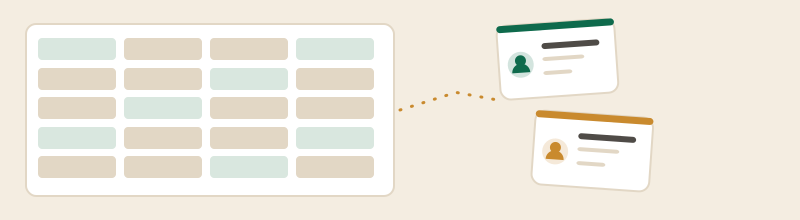
- Clean the sheet first, in the sheet. Deduplicate, split names into first and last, standardise company names, and delete the rows you will never contact again. Importing mess into a CRM does not clean it; it makes it permanent and harder to fix.
- Decide what a "contact" and a "company" are before you import, because every CRM links the two and your sheet probably conflates them.
- Import contacts and companies, not history. Old email threads rarely transfer usefully. Keep the sheet as an archive rather than trying to force a decade of notes into a new system.
- Export once, immediately, from the new CRM. It tells you exactly what you can take with you later, which is the thing nobody checks until they need it. Note that Zoho CRM's free edition states data export up to ten times.
The honest recommendation
If you are one person with a working memory and no colleague waiting on your customer conversations, keep the sheet, and spend the money on something that makes the phone ring. If any of the three moments above has already happened, start on a free CRM rather than a paid one — the free CRM comparison lists what each of the five free plans caps — and only pay when a cap, not a salesperson, tells you to.
Spreadsheet and CRM questions
Is a spreadsheet good enough as a CRM?
What can a CRM do that Excel or Google Sheets cannot?
When should a small business move from a spreadsheet to a CRM?
How do I move my spreadsheet into a CRM?
Comparing tools rather than reading about one? The best CRM for small business, ranked puts the seat prices in a single table, and the free CRM page does the same for the free tiers and their caps.