EngageBay Review: A CRM With the Mailing List Already Attached
Most small businesses end up buying two things: somewhere to keep customers and something to email them. EngageBay's pitch is that it is both, plus live chat and a helpdesk, on one subscription. That is a real saving when the alternative is two vendors — and it comes with a pricing structure that rewards a longer promise than most small businesses should make lightly.
What the free plan covers
EngageBay's free plan states 250 contacts and includes email marketing, autoresponders, email broadcasts, sequences, lead grabbers, landing pages, the CRM, a helpdesk and live chat. Unlike the other free CRMs in this comparison it does not state a seat cap on the pricing page — the limit it publishes is on contacts.
That combination makes it the most generous free tier here in features and one of the tightest in capacity. A business with 200 customers gets a marketing stack for nothing; a business with 2,000 gets a trial.
Three terms, one plan
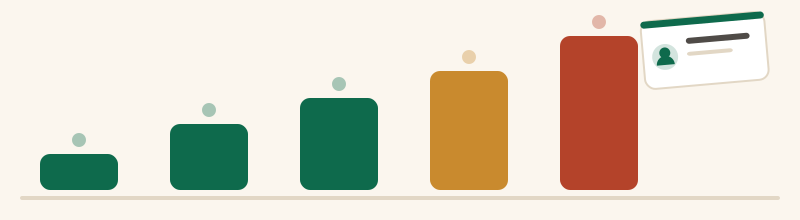
EngageBay is unusual in publishing three billing terms next to each other, and the gap between them is worth seeing as a length rather than a footnote. Read on 24 September 2026, per user per month on the All-in-One track: Basic is $14.99 month to month, $13.79 on the yearly term and $12.74 on the two-year term. Growth is $64.99, $59.79 and $55.24. Pro is $119.99, $110.39 and $101.99.
EngageBay labels those terms as 8% off for yearly and 15% off for biennial, and the arithmetic on the published figures agrees. The question is not whether the discount is real but whether a two-year commitment is a sensible thing for a small business to sign for a tool it has been using for a fortnight.
Each bar runs to the month-to-month price; the dark part is the two-year price. EngageBay is the only CRM here that asks for a two-year commitment to reach its lowest number.
per user per month on the two-year termmonth to month
What each tier actually holds
The contact ceilings matter more than the feature lists, because they are what forces the move. Basic states 500 contacts and adds email templates, web pop-ups, a landing-page builder, lead scoring, SMS marketing, third-party integrations, a social suite and a tag manager. Growth states 5000 contacts and adds marketing automation, push notifications, site messages, broadcast and landing-page A/B testing, a custom domain, call records, service automation, products and proposals. Pro states 10,000 contacts and adds web and proposal analytics, single sign-on, role management, goals, custom reporting, a dedicated account manager, an uptime SLA and phone support.
The step from Basic to Growth is the one to budget for, and it is steep: on the yearly term it takes a seat from $13.79 to $59.79, more than four times the price, and it is the step where marketing automation lives. A business that bought EngageBay for its automation will not stay on Basic long.
There is also a narrower track. The same pricing page offers a CRM & Sales Bay bundle starting at $11.04 per user per month, for businesses that want the sales half without the marketing half.
Where the all-in-one argument holds
It holds when you would genuinely have bought both tools. If your plan was a CRM at $14 a seat and an email platform charged by contact count, one subscription at $13.79 a seat with the list included is straightforwardly cheaper and one less integration to maintain.
It also holds for a business where the same person does the selling and the sending. Having the campaign history and the deal history on one contact record removes a class of small errors — the follow-up email that goes to someone who already replied, the newsletter that reaches a customer mid-complaint.
Where it does not
It stops holding when only half the bundle gets used. A business that will never send a campaign is paying per user for a marketing suite it does not open, and the CRM underneath is not better than Zoho CRM's at $14 a seat or simpler than Bigin's at $7.
It also stops holding at scale in a particular way. EngageBay charges per user and caps contacts, so a three-person business with a large list pays three seats and still hits the ceiling. Tools priced purely by contact count behave differently as a list grows, and it is worth modelling both before committing to two years.
Who should open EngageBay
Open it if you want a CRM and a mailing list on one bill, if your contact list is comfortably inside the tier you are buying, and if you will actually use marketing automation — which means budgeting for Growth rather than Basic.
Look elsewhere if you want a CRM and nothing else. The best CRM for small business ranking prices seven alternatives with their billing terms attached, and the free CRM page compares EngageBay's 250-contact free plan with the four other free tiers by the cap that ends each one.
EngageBay questions
Is EngageBay's free plan any good?
How much does EngageBay cost per user?
Why is EngageBay cheaper than buying a CRM and an email tool separately?
Does EngageBay require a long contract?
Sponsored, nofollow. Subscribe at the far end of it and the vendor pays Firstclient a share of what you spend. The order above was fixed before any of that, and more than one tool on this site earns us nothing.
Comparing tools rather than reading about one? The best CRM for small business, ranked puts the seat prices in a single table, and the free CRM page does the same for the free tiers and their caps.