HubSpot CRM Review: The Best Free Start, and the Step After It
HubSpot is the CRM most small businesses meet first, and for good reason: the free tools genuinely are free, the interface explains itself, and you can have a working customer record the same afternoon you decide you need one. This review is about the part that is harder to see from the signup page — what the ladder above the free tier costs, and which rung a small business should expect to stop on.
What the free tier actually gives you
HubSpot's pricing page describes its free tools as $0 a month, free for up to 2 users, with no credit card required, and lists free marketing, sales, service, content, data and revenue tools under that one account. In practice, a small business gets contact and company records, deals, tasks, a shared conversations inbox, live chat, meeting scheduling and a reporting dashboard without paying anything.
The limits are set on the details rather than the core. On the free tier HubSpot states up to 3 canned snippets, up to 3 email templates per account, a maximum of 1 personal meetings link, 10 dashboards with 50 reports each, and HubSpot branding on the live chat, the meetings link and the one-to-one email. None of that stops a two-person business working. All of it is visible to your customers.
What it charges, rung by rung
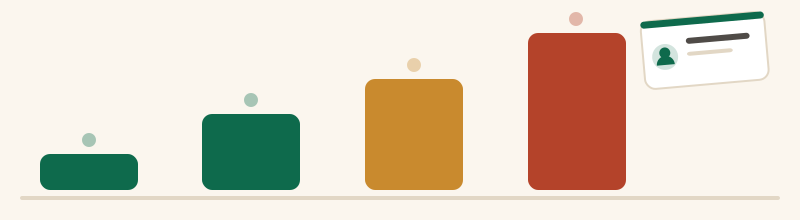
Four rungs, read on HubSpot's own Sales Hub pricing page on 24 September 2026. Free is $0 for up to 2 users. Starter Customer Platform is advertised from $7 per seat per month, with $20 per seat per month shown struck through beside it and a banner offering up to 65% off Starter for new customers for a limited time. Sales Hub Professional is $90 per seat per month, with $100 struck through, under a footnote stating a required one-time Professional Onboarding fee of $1,500. Sales Hub Enterprise is $150 per seat per month, with a required one-time Enterprise Onboarding fee of $3,500.
Two details are easy to miss. The Starter figure is promotional and explicitly for new customers, so it is the price of your first term rather than your renewal. And HubSpot's page also prices AI usage separately, at $9.00 per 1,000 HubSpot Credits when you pay annually, which is a second meter running alongside the seats.
The four rungs as HubSpot's own Sales Hub page displayed them, in the order you meet them. The step from Starter to Professional is the one that ends most small-business HubSpot stories.
The step that ends most small-business stories here
The reason to read that ladder carefully is the distance between rung two and rung three. Starter buys the useful ordinary things: HubSpot branding removed, up to 5,000 snippets, up to 10,000 email templates, 500 calling minutes, one phone number, up to 50 workflows with restricted triggers, up to 15 pipelines and 1,000 meetings links. It is a generous Starter by the standards of this category.
Professional is where sequences, forecasting and conversation intelligence live, and it is roughly thirteen times the promotional Starter seat before the onboarding fee is counted. For a three-person business, three Professional seats plus the stated one-time $1,500 fee is a materially different budget conversation from three Starter seats — and the fee is described as required, not optional. That is the sentence to weigh before your customer list has been in HubSpot for two years.
Where it beats the cheaper alternatives
Three places, and they are genuine.
First, adoption. The reason people recommend HubSpot to non-technical teams is that it is hard to get wrong: a business that has never used a CRM will have a populated, useful one faster here than anywhere else on our small-business CRM ranking.
Second, breadth on one record. Marketing email, live chat, support conversations and sales activity attach to the same contact without an integration between three vendors. For a business where the owner does all four jobs, that is worth more than a cheaper seat.
Third, the ecosystem. Whatever else you run, something connects to HubSpot, which matters more than feature checklists once a business has a few tools.
Where a small business should be careful
Watch the things counted by something other than seats. HubSpot's Starter bundle includes 1,000 marketing contacts, and marketing-contact tiers are the classic way a HubSpot bill grows without anybody adding a person to the team. Watch the credits meter if you turn AI features on. And watch the branding on the free tier if your customers see your chat widget and booking page.
The strategic caution is simpler. HubSpot is easy to enter and expensive to grow inside, which is the opposite shape to most of the CRMs in this comparison: Zoho CRM's free edition holds three users and steps up to $14 per user per month, and Bigin's Express is $7 per user per month billed yearly. If your business is likely to want Professional-tier features, compare that path now rather than after the data has settled.
Who should open HubSpot, and who should not
Open it if you are one or two people starting your first CRM, if you want marketing and sales history on one record, or if adoption is the risk you are most worried about. The free tools cost nothing, they do not expire, and there is no better place to learn what you actually need from a CRM.
Look elsewhere if you already know you need three or more seats today — Zoho CRM's free edition states three users where HubSpot's states two — or if you can see Professional-tier features in your near future and the $90 seat plus the stated $1,500 onboarding fee does not fit the budget. In that case the Zoho CRM and Bigin review covers the cheaper ladder, and the free CRM comparison sets HubSpot's free tier against the other four cap by cap.
HubSpot CRM questions
Is HubSpot's free CRM really free?
How much does HubSpot cost per user?
What is HubSpot's onboarding fee?
Is HubSpot good for a very small business?
Sponsored, nofollow. Subscribe at the far end of it and the vendor pays Firstclient a share of what you spend. The order above was fixed before any of that, and more than one tool on this site earns us nothing.
Comparing tools rather than reading about one? The best CRM for small business, ranked puts the seat prices in a single table, and the free CRM page does the same for the free tiers and their caps.